Urges · One sentence
Press pause on the urge — in a language you barely speak.
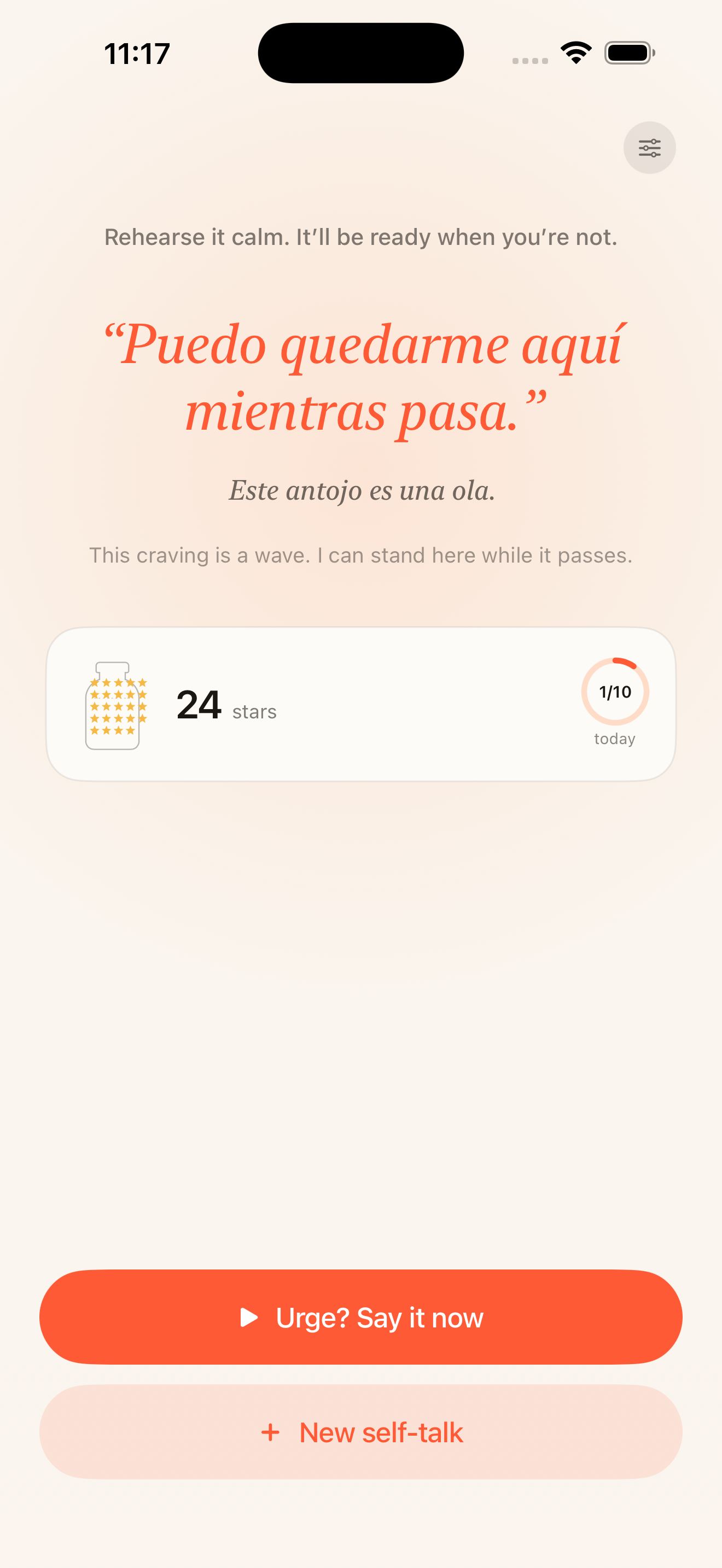
When the urge hits — the snack, the scroll, the smoke — say one sentence out loud in Spanish, French, Japanese, Mandarin, Portuguese, or German. Your brain can’t run the habit and decode the sentence at the same time. The urge passes.
binge eating · doomscrolling · late-night snacking · smoking
Why it works
Familiar words don’t land.
Read “I am enough” in English and your brain barely registers it. It has seen the phrase a thousand times, so it pattern-matches and moves on — no attention, no re-encoding. The words do nothing, because nothing about them asked you to notice.
Now read that same sentence in a language you’re still learning. You can’t autopilot through it. Every word needs you present to leave your mouth — and that noticing is where the meaning actually lives.
The friction is the mechanism. Words you attend to are words that land.
How it works
From the urge to a banked star — in under two minutes.
-
 Step 01
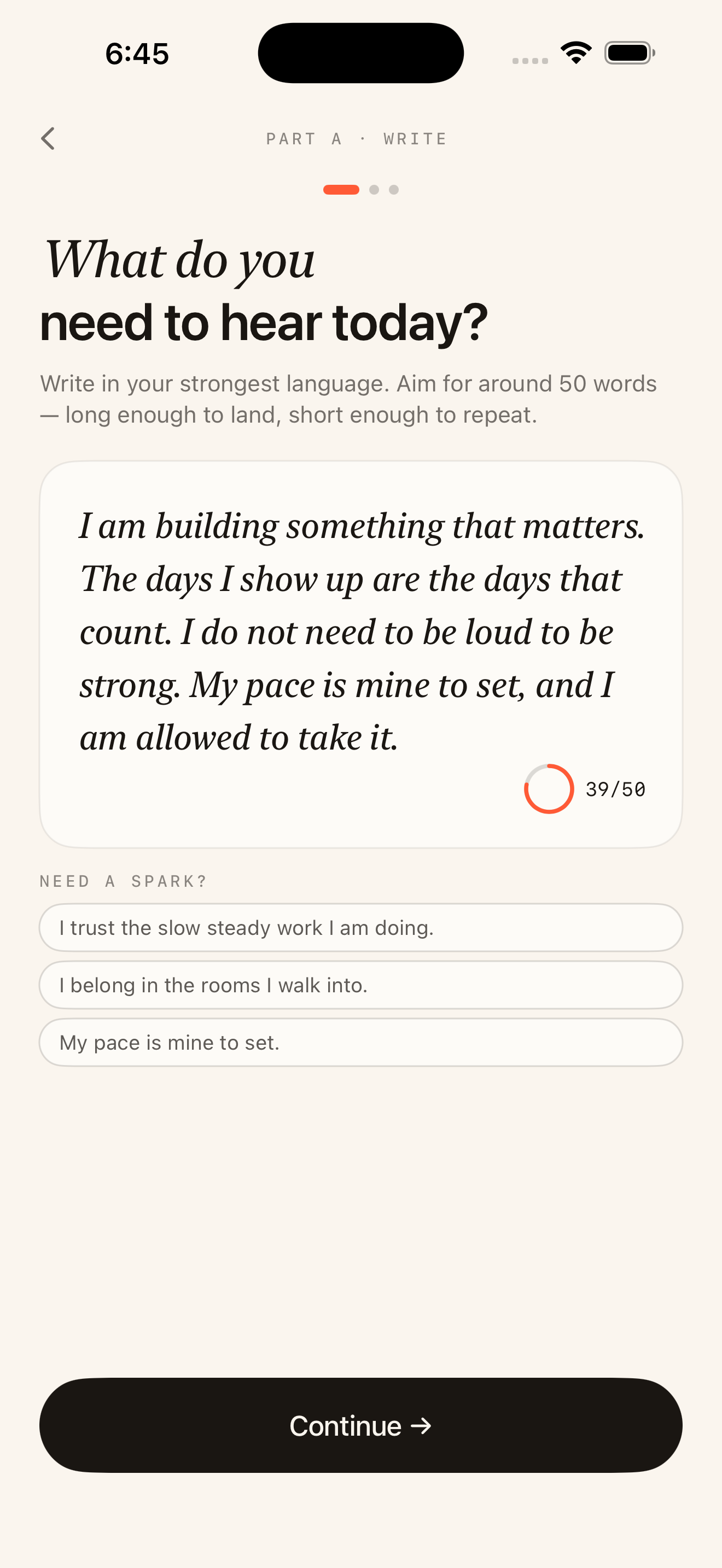
Pick the sentence that stops you.
The app hands you a starter sentence for the moment. Take it, or write your own — around fifty words, long enough to mean something, short enough to say in one breath.
-
 Step 02
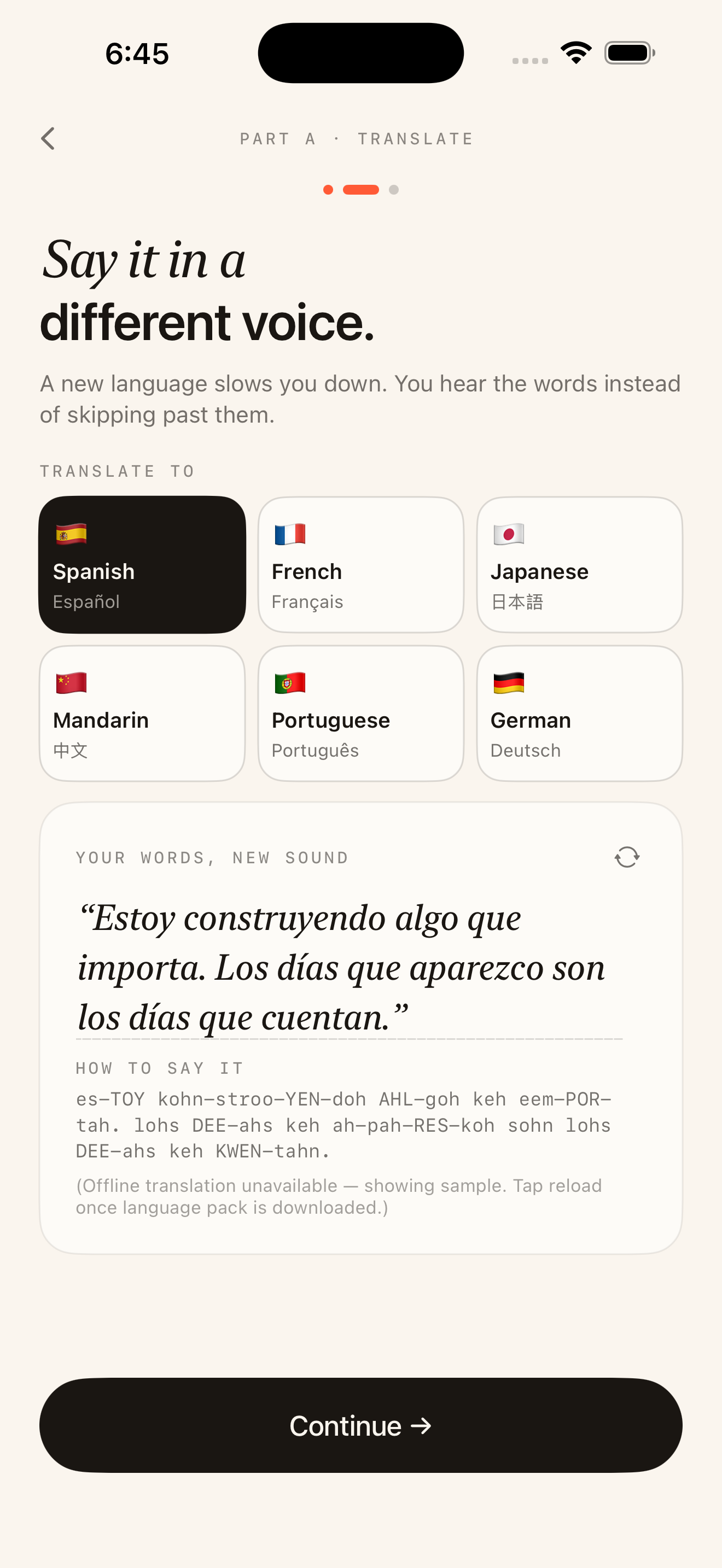
Translate it into a slower voice.
Pick one of six languages. Apple’s on-device Translation turns your words into another tongue — privately, right on your phone — with a phonetic guide so you know exactly how to say it.
-
Marisol
Warm · steadyDiego
Grounded · lowWarm
Soft · enhancedStep 03Choose a voice to read it back.
Hear your sentence aloud in a voice that fits: Marisol, warm and steady; Diego, grounded and low; or Warm — a softer voice you unlock as you practice.
-
 Step 04
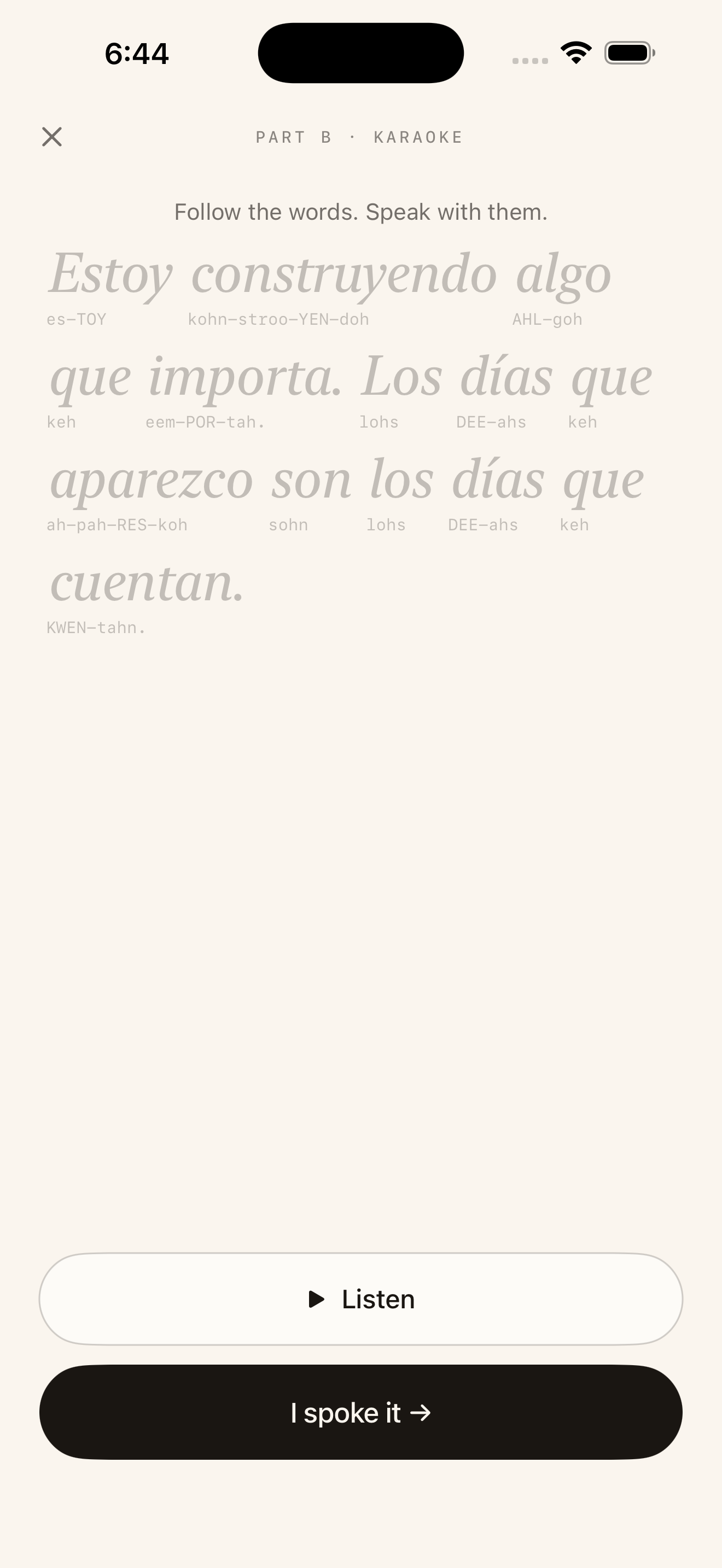
Say it back out loud.
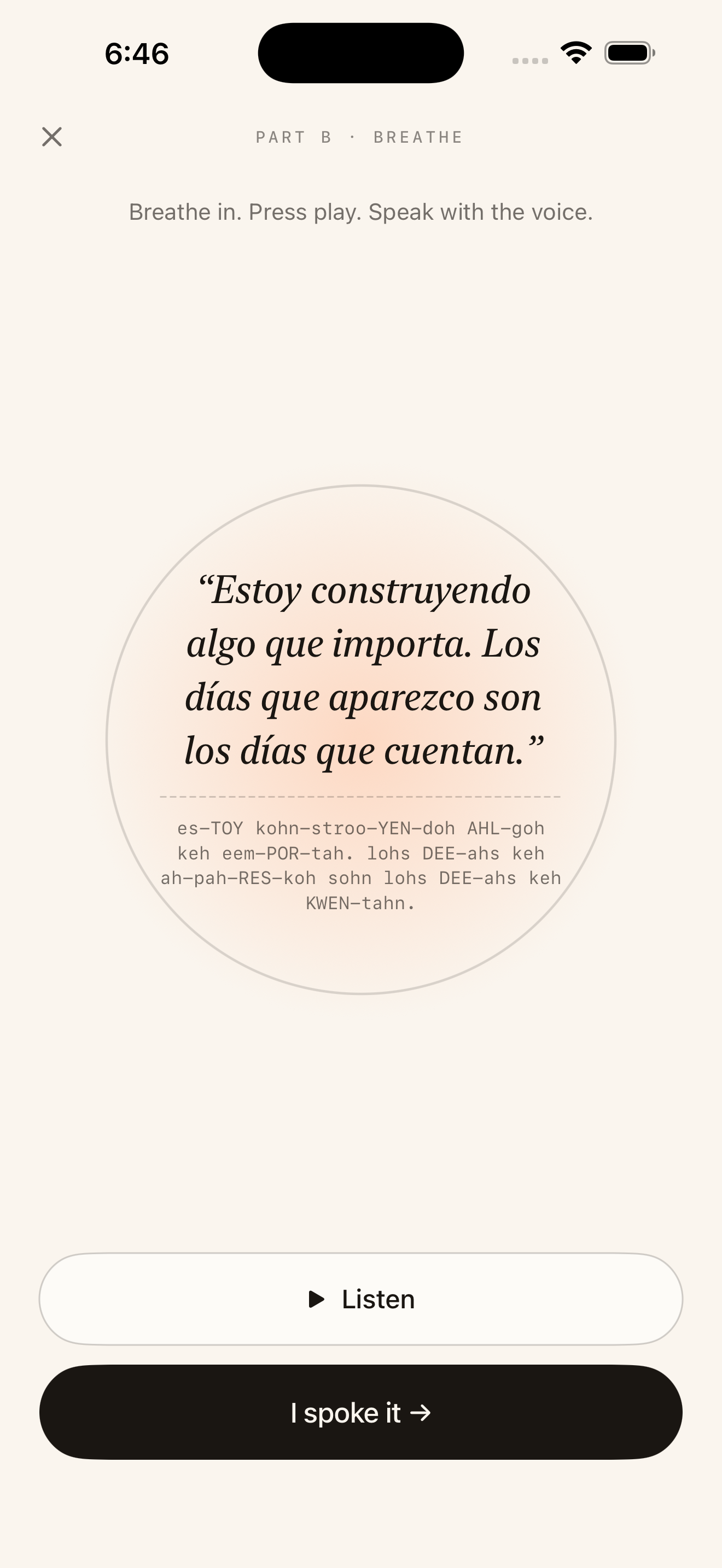
Two ways to practice. Karaoke lights up each word the moment the voice reaches it. Breathe wraps the whole sentence in a slow, pulsing aura. Listen, speak it, then tap “I spoke it.”
-
Step 05
Bank it, and build the rhythm.
Note how you felt before and after. Your first rep each day drops a star in the jar and ticks your rhythm forward — and as the stars add up, you unlock new voices, themes, and a pack of recovery-minded mantras.
See it in motion
Watch the words light up.
In Karaoke, each word brightens the instant the voice reaches it — with the phonetic line underneath, so you always know how to say it.
Everything it does
Small on the surface. Considered underneath.
Six languages, on-device
Spanish, French, Japanese, Mandarin, Portuguese, German — translated by Apple’s framework. Your words never leave your phone.
Three ways to practice
Karaoke lights each word as you say it. Breathe pulses an aura around the sentence. Karaoke+ slows it all down — unlocked at 100★.
Three voices
Marisol, Diego, and a softer Warm voice at 10★. Natural iOS text-to-speech, tuned for a calm, slow read.
A star jar that fills up
One star for every day you show up. Watch the jar fill and your rhythm streak grow — with a couple of rest days built in.
“Is this working?”
Rate your mood before and after each rep. The app charts your average lift over time, so you can see the practice doing its work.
Milestones & unlocks
Quiet milestones mark the habit forming. Reach them to unlock the Moonlight theme (25★), a 25-mantra Care pack (50★), and more.
Four themes
Sunrise, Ocean, Forest, and a dark Moonlight you unlock at 25★. Pick the one that fits the morning.
Yours, and private
No account. No subscription. Everything lives on your phone; iCloud sync is yours to switch on or off.
Make it yours
Four palettes. One that fits the morning.
Tap one to retint the page. Moonlight is a darker palette you unlock at 25★.
The shape of it
It isn’t trying to do everything.
A small, deliberate tool — and a short list of what it refuses to be.
What it isn’t
- A meditation app
- A language course
- A mood journal
- An AI coach
- A subscription trap
- A guilt-streak machine
What it is
- A pause button for urges, in any moment
- Six languages, three ways to practice
- A star jar that fills up
- Free, with no account
- Quiet, designed, and yours
Get Sottosay
Your pause button, in your pocket.
Free on the App Store — your first sentence is ready in under a minute. No account, no subscription, fully offline.
iPhone · iOS 26 · Your words stay on your device